什么是结构化数据?
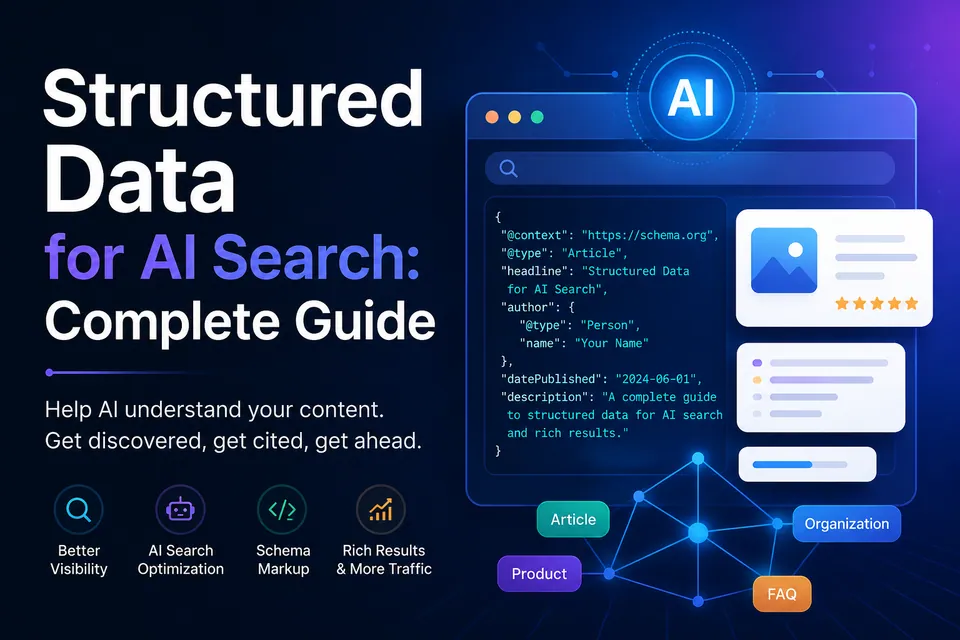
结构化数据是添加到网页中的代码,用来帮助搜索引擎和 AI 系统理解内容。它提供的是内容含义的背景信息,而不只是页面写了哪些文字。
在食谱页面中添加结构化数据,相当于告诉搜索引擎:“这是一份食谱,这些是食材,这是烹饪时间,这是评分。”没有结构化数据,搜索引擎看到的就只有文字。
我从 2025 年初开始在自己的网站上使用结构化数据。三个月内,我注意到网站在 ChatGPT 和 Perplexity 回答中被引用的表现更稳定了,变化相当明显。
结构化数据采用一种名为 schema.org 的标准化格式。这套词汇由 Google、Bing、Yahoo 和 Yandex 共同创建,为描述网页内容提供了通用语言。
为什么结构化数据对 AI 搜索很重要
AI 搜索引擎处理信息的方式与传统搜索引擎不同。它们需要理解上下文和含义,而不只是识别关键词。
当 ChatGPT 或 Perplexity 抓取你的网站时,结构化数据能帮助它们:
- 理解网站上的内容类型
- 准确提取关键信息
- 识别概念之间的关系
- 生成更准确的引用
没有结构化数据,AI 系统就得猜测内容的含义。有了它,系统便能明确知道自己正在读取什么。
有关 AI 搜索优化的更多内容,请参阅我们的 GEO SEO 完整指南、ChatGPT SEO 指南和 Perplexity SEO 指南。
Schema 标记的类型
文章(Article)Schema
适用于博客文章、新闻报道和编辑内容。
{
  "@context": "https://schema.org",
  "@type": "Article",
  "headline": "How to Optimize for AI Search",
  "author": {
    "@type": "Person",
    "name": "BePhil"
  },
  "datePublished": "2026-06-12",
  "dateModified": "2026-06-12",
  "description": "A complete guide to GEO SEO optimization.",
  "image": "https://bephil.com/images/article-image.webp",
  "publisher": {
    "@type": "Organization",
    "name": "BePhil",
    "logo": {
      "@type": "ImageObject",
      "url": "https://bephil.com/logo.png"
    }
  }
}
常见问题(FAQ)Schema
适用于问答内容。这类标记可以让内容以富媒体搜索结果的形式出现。
{
  "@context": "https://schema.org",
  "@type": "FAQPage",
  "mainEntity": [
    {
      "@type": "Question",
      "name": "What is GEO SEO?",
      "acceptedAnswer": {
        "@type": "Answer",
        "text": "GEO stands for Generative Engine Optimization. It means optimizing your website so AI-powered search engines can find, understand, and cite it in their answers."
      }
    },
    {
      "@type": "Question",
      "name": "How do I optimize for ChatGPT search?",
      "acceptedAnswer": {
        "@type": "Answer",
        "text": "Create clear, direct content that answers specific questions. Use structured data, build topical authority, and keep content fresh."
      }
    }
  ]
}
操作指南(HowTo)Schema
适用于分步骤的教程和操作指南。
{
  "@context": "https://schema.org",
  "@type": "HowTo",
  "name": "How to Add Schema Markup to Your Website",
  "description": "Step-by-step guide to implementing structured data.",
  "step": [
    {
      "@type": "HowToStep",
      "name": "Choose the schema type",
      "text": "Identify what type of content you are marking up and select the appropriate schema type from schema.org."
    },
    {
      "@type": "HowToStep",
      "name": "Generate the code",
      "text": "Use Google's Structured Data Markup Helper or a schema generator to create the JSON-LD code."
    },
    {
      "@type": "HowToStep",
      "name": "Add to your page",
      "text": "Insert the JSON-LD code in the head section of your HTML or use a tag manager."
    },
    {
      "@type": "HowToStep",
      "name": "Test the markup",
      "text": "Use Google's Rich Results Test to validate your structured data."
    }
  ]
}
组织(Organization)Schema
适用于公司和企业信息。
{
  "@context": "https://schema.org",
  "@type": "Organization",
  "name": "BePhil",
  "url": "https://bephil.com",
  "logo": "https://bephil.com/logo.png",
  "description": "Thoughts on design, technology, and the craft of building digital experiences.",
  "sameAs": [
    "https://x.com/chtisholloway",
    "https://github.com/greekchtis"
  ]
}
面包屑 Schema
适用于面包屑导航。
{
  "@context": "https://schema.org",
  "@type": "BreadcrumbList",
  "itemListElement": [
    {
      "@type": "ListItem",
      "position": 1,
      "name": "Home",
      "item": "https://bephil.com"
    },
    {
      "@type": "ListItem",
      "position": 2,
      "name": "Blog",
      "item": "https://bephil.com/blog"
    },
    {
      "@type": "ListItem",
      "position": 3,
      "name": "Article Title",
      "item": "https://bephil.com/blog/article-slug"
    }
  ]
}
如何部署结构化数据
方法 1:JSON-LD(推荐)
JSON-LD 是推荐使用的格式。将它添加到 HTML 的 head 部分:
<head>
  <script type="application/ld+json">
  {
    "@context": "https://schema.org",
    "@type": "Article",
    "headline": "Your Article Title",
    "author": {
      "@type": "Person",
      "name": "Author Name"
    }
  }
  </script>
</head>
方法 2:微数据
直接在 HTML 元素上添加属性:
<div itemscope itemtype="https://schema.org/Article">
  <h1 itemprop="headline">Your Article Title</h1>
  <span itemprop="author">Author Name</span>
  <time itemprop="datePublished" datetime="2026-06-12">June 12, 2026</time>
</div>
方法 3:标签管理工具
使用 Google Tag Manager 或类似工具注入结构化数据,无需直接编辑 HTML。
测试结构化数据
Google 富媒体搜索结果测试
访问 https://search.google.com/test/rich-results 验证标记。这个工具会显示:
- Schema 是否有效
- 内容符合哪些富媒体搜索结果的展示条件
- 存在哪些错误或警告
Schema 标记验证工具
访问 https://validator.schema.org/ 进行详细验证。这个工具会检查:
- Schema 语法
- 必需属性
- 数据类型
- 关联关系
Google Search Console
在 Google Search Console 中监控结构化数据:
- 进入“增强功能”部分
- 检查 Schema 错误
- 监控富媒体搜索结果的表现
AI 搜索的最佳实践
1. 保证准确
只标记页面中实际存在的内容。虚假或误导性的结构化数据可能导致处罚。
2. 保证完整
为每种 Schema 类型提供全部必需属性。属性缺失会降低标记的效果。
3. 保持一致
结构化数据应与用户看得见的内容一致。如果 Schema 和页面表达的信息不同,搜索引擎就会降低对标记的信任。
4. 定期更新
让结构化数据保持最新。更新内容时同步更新 dateModified,并随着网站发展添加新的 Schema 类型。
5. 使用 JSON-LD
与微数据相比,JSON-LD 更容易部署和维护。它还将结构化数据与 HTML 分开,让更新更简单。
常见错误
错误 1:缺少必需属性
每种 Schema 类型都有必需属性。缺少这些属性会影响效果。
错误 2:数据类型不正确
属性要求特定的数据类型。日期属性需要日期格式,而不是普通字符串。
错误 3:虚假评分
不要给没有评论的内容添加评论 Schema。这违反 Google 的指南。
错误 4:标记隐藏内容
不要为用户看不到的隐藏内容添加结构化数据。这会被视为欺骗行为。
错误 5:没有测试
发布前一定要测试结构化数据。错误会导致富媒体搜索结果无法展示。
面向 AI 引用的结构化数据
如果要专门优化 AI 引用,可以这样做:
提供作者信息
AI 系统重视权威来源。提供作者姓名、资历和相关链接。
添加发布日期
较新的内容更容易被引用。提供准确的发布日期和修改日期。
注明参考来源
如果内容引用了其他来源,也应在结构化数据中体现。这有助于建立可信度。
使用具体的类型
尽量选择更具体的 Schema 类型。对于技术内容,使用“TechArticle”比“Article”更合适。
总结
结构化数据能帮助传统搜索引擎和 AI 搜索引擎理解内容,补充普通 HTML 无法传达的上下文信息。
先为博客文章添加 Article Schema,再为问答内容添加 FAQ Schema。所有标记都要通过 Google 富媒体搜索结果测试进行验证。
随着 AI 搜索持续发展,今天在结构化数据上投入的精力会带来回报。正确部署结构化数据的网站,会被更频繁、更准确地引用。
有关 AI 搜索优化的更多内容,请查看我们的 GEO SEO 完整指南、ChatGPT SEO 优化指南和技术 SEO 审计清单。有关可抓取性的细节,请阅读网站可抓取性指南。性能优化可参阅 Core Web Vitals 指南。要了解 AI 搜索的最新变化,请阅读 2026 年 AI 搜索趋势。
感谢阅读!如果这些技术细节让你有些不知所措,先深呼吸。你不必一次把所有内容都做完。可以先从一种 Schema 类型开始,熟悉之后再尝试下一种。重在进步,不必追求完美。祝你今天愉快,继续做出出色的作品!